User Journey Mapping Guide with Stages and Maps
User journey mapping made practical: a layer template, funnel stages, evidence checks, and examples that turn friction into conversion tests.
Published on 15 min read
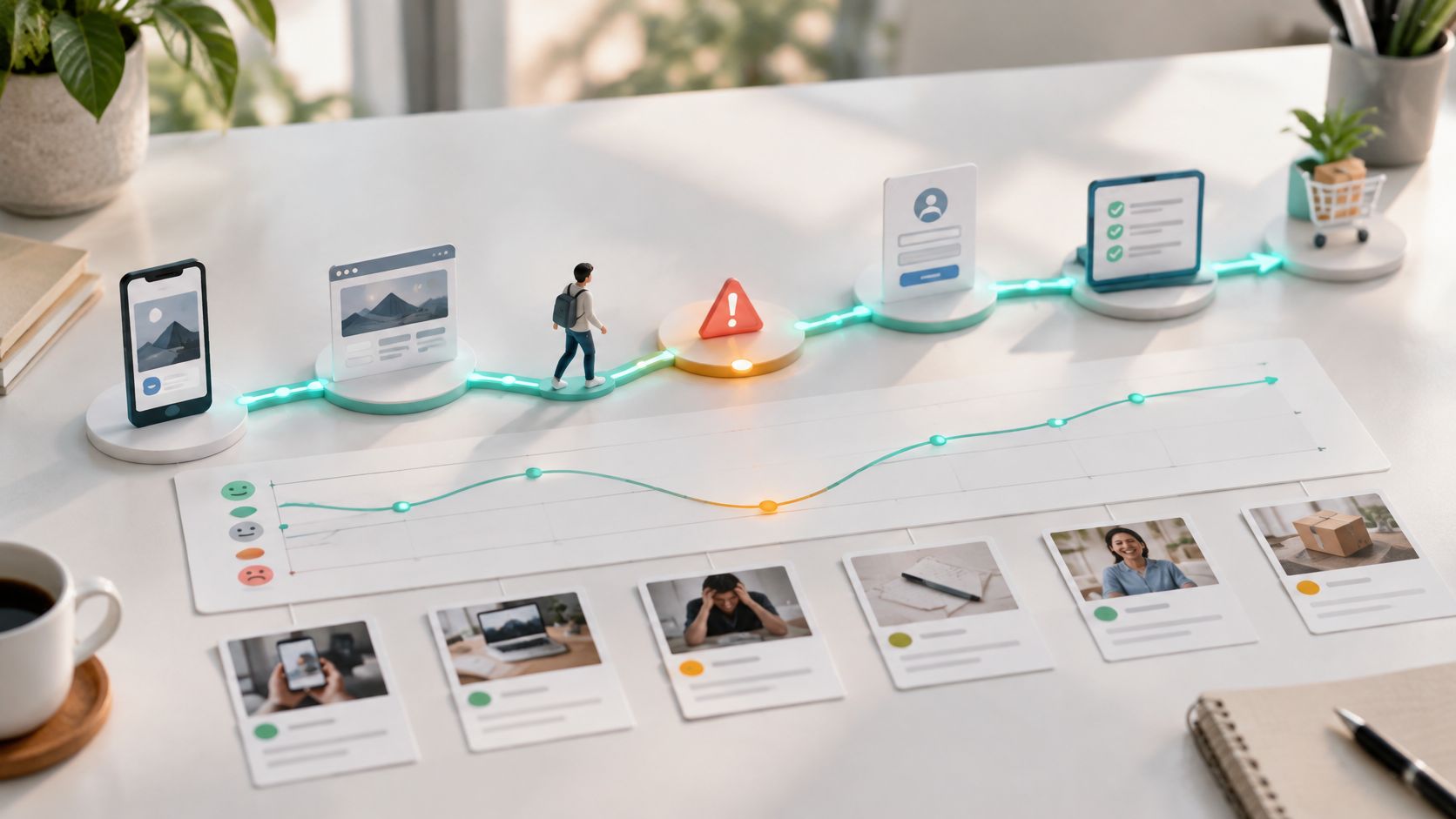
Table of contents
- What User Journey Mapping Shows Teams
- The Layers Every Useful Map Includes
- Why the actor comes first
- What each middle layer forces you to admit
- The two layers teams skip
- Stages for Acquisition Activation and Retention
- Different actors force different evidence
- Committees and privacy need separate handling
- How to Build a Map From Evidence
- Where teams usually fake certainty
- How to Keep the Map Honest Over Time
- Set an evidence threshold
- Assign ownership and a cadence
- Three Maps for Three Different Funnels
- A self-serve SaaS trial from a comparison ad
- Mobile onboarding for an invited teammate
- Retention after the first month
- Turn Map Friction Into the Next Test
You're looking at a funnel report that says people drop on pricing. Product says the page is clear. Support says visitors keep asking the same billing question. Marketing says the ad promised something simpler. Everyone's looking at a different slice, so no one can agree on what to fix first.
User journey mapping gives those slices one shared order. Done well, it doesn't produce a prettier poster. It shows where a person stalls, what evidence proves it, and who owns the next test.
What User Journey Mapping Shows Teams
Say someone clicks a comparison ad, skims your landing page, and leaves. Two days later they return on a phone, ask support one question about seats, then start a trial on a laptop. A single session report calls that three unrelated visits. A map calls it one journey with a gap, a question, and a reason to come back.
Think of a transit map. It shows lines and transfer points, not every footstep between stations.
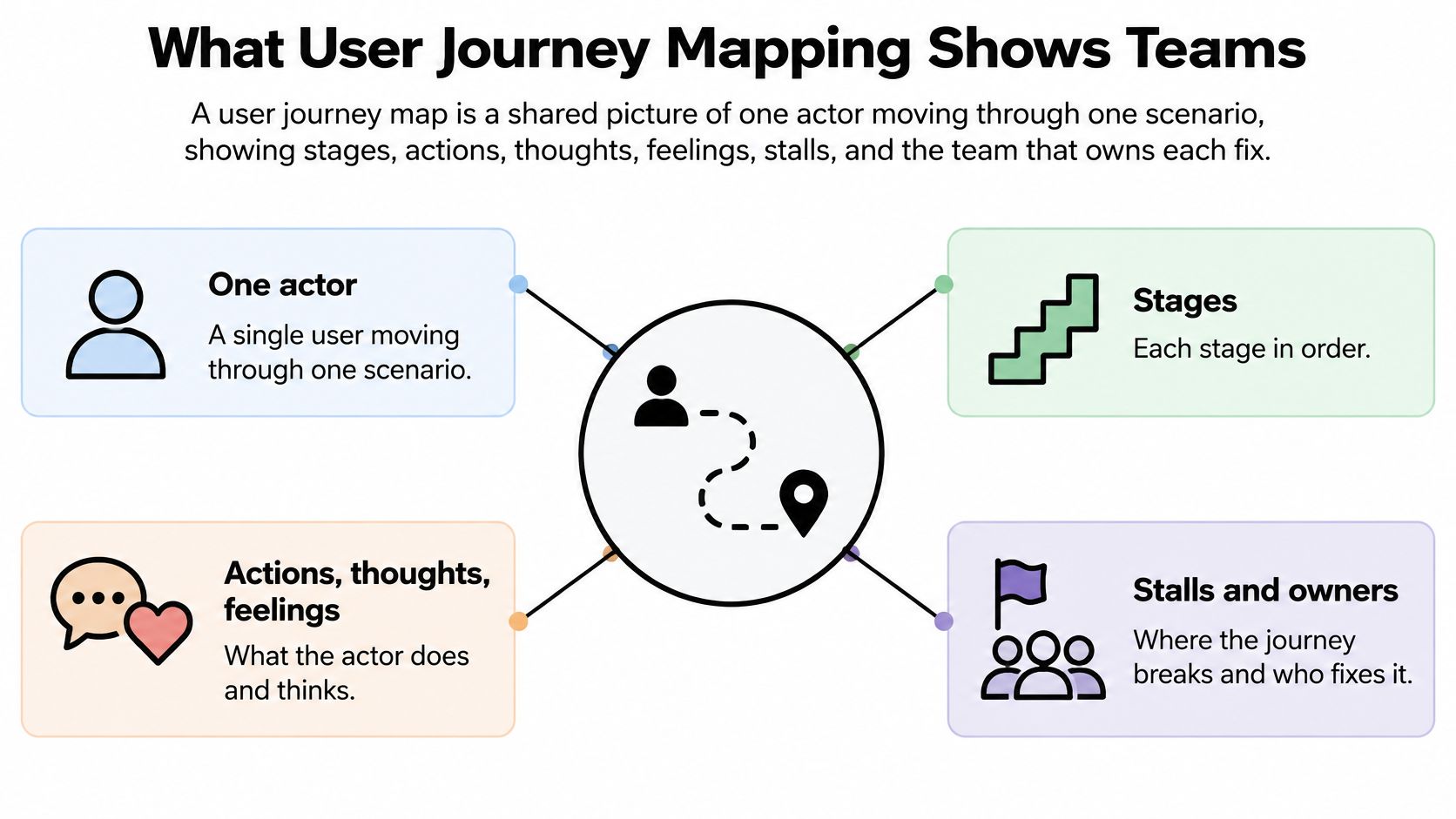
A user journey map is a shared picture of one actor moving through one scenario, showing stages, actions, thoughts, feelings, stalls, and the team that owns each fix.
That picture differs from nearby tools. A funnel report counts who dropped. A sitemap shows which pages exist. A broad customer journey can span marketing, sales, and service, while a product user journey stays closer to in-product behavior.
The scope makes sense once you know where the method came from. A 2022 academic review in Sustainability reports that journey-mapping techniques first emerged during the 1960s and 1970s, and that Tseng, Qinhai, and Su introduced the term and framework “customer journey” in 1999 as a tool for improving service operations. It started in service design and market research, not in landing page testing.
For growth teams, that means connecting acquisition context, expectations, behavior, friction, and post-conversion experience. When the journey continues into onboarding, Carti's guide to client onboarding automation is a useful companion for turning those handoffs into repeatable steps.
The Layers Every Useful Map Includes
Start with the grid, not with a workshop debate about colors. Fill eight layers for each stage, and leave a cell empty when you don't know yet. An empty cell tells the truth. An invented cell hides the work you still need to do.
| Layer | What to record | Evidence to use | Sample cell |
|---|---|---|---|
| Actor and scenario | One person and one job in one context | Interviews plus acquisition context | First-time admin from a comparison ad, on mobile |
| Stages | Five to eight chapters of that scenario | Observed sequences, not a wished-for funnel | Arrive, understand, trust price, start, invite, first value |
| Actions | Visible behavior at each stage | Product events, session notes, support logs | Scrolls pricing, hesitates on annual toggle |
| Thoughts and questions | The decision in the user's words | Interviews and on-page questions | Will this bill my whole team? |
| Emotions | Confidence, mixed, or anxiety | Interviews and support tone | Low confidence at the price table |
| Pains and opportunities | The stall and the smallest fix | Drop-off plus quoted friction | Show a plain total before the form |
| Metrics and owner | One number and one accountable person | Analytics owner and review cadence | Pricing exit rate, owned by growth |
| Certainty | Observed, self-reported, inferred, or unknown | Label every cell before the workshop ends | Price fear is self-reported; scroll is observed |
Why the actor comes first
Actor and scenario stop the map from describing everyone and therefore no one. “First-time admin from a comparison ad, on mobile, checking whether a small team can start today” gives you a testable situation. “Buyer” doesn't.
Stages are chapters, usually five to eight. If you list every click, you'll rebuild a clickstream report and lose the decisions between clicks. If you use only awareness, consideration, and purchase for a product trial, you'll hide setup and first value inside labels that are too broad to fix.
What each middle layer forces you to admit
Actions record visible behavior only. Search, skim, compare, sign up, invite, cancel. Don't write “researches options” when the person opened three pricing tabs and closed two.
Thoughts and questions keep the decision in the person's own words. A thought like “Will this bill my whole team?” points to copy, pricing display, or a missing answer. A vague note like “concerned about cost” points nowhere.
Emotions work best as a simple label such as high, mixed, or low confidence. A score of 3.7 out of 5 looks precise, but it usually comes from a room guessing. Tie the label to a moment, such as the annual toggle, so a designer knows which screen caused it.
Pains and opportunities belong together. Name the stall, then the smallest change that could remove it. “Pricing is confusing” is a complaint. “Visitors can't tell if the price is per seat, so show a plain total for five seats” is a test.
The two layers teams skip
Metrics and owner must travel as a pair. A metric without an owner gets watched by nobody. An owner without a metric can't tell whether a fix worked.
Certainty matters most. Label each cell observed, self-reported, inferred, or unknown before anyone presents the map as fact.
Leave unknown cells empty rather than invent a smooth story. A blank cell creates a research task. A filled guess creates false confidence.
Take one pricing cell. The action is scrolling the pricing table, the thought is fear of a surprise invoice, and the emotion is low confidence. The opportunity is a plain total before the form, the metric is pricing-page exit for that traffic, and the owner is the landing page lead.
Now label it accurately. If session replay shows the scroll and exit, that behavior is observed. If two interviews mention invoice fear, that motive is self-reported. If nobody has watched a replay or asked a visitor, both cells stay unknown, even if the whole room is sure it knows.
Stages for Acquisition Activation and Retention
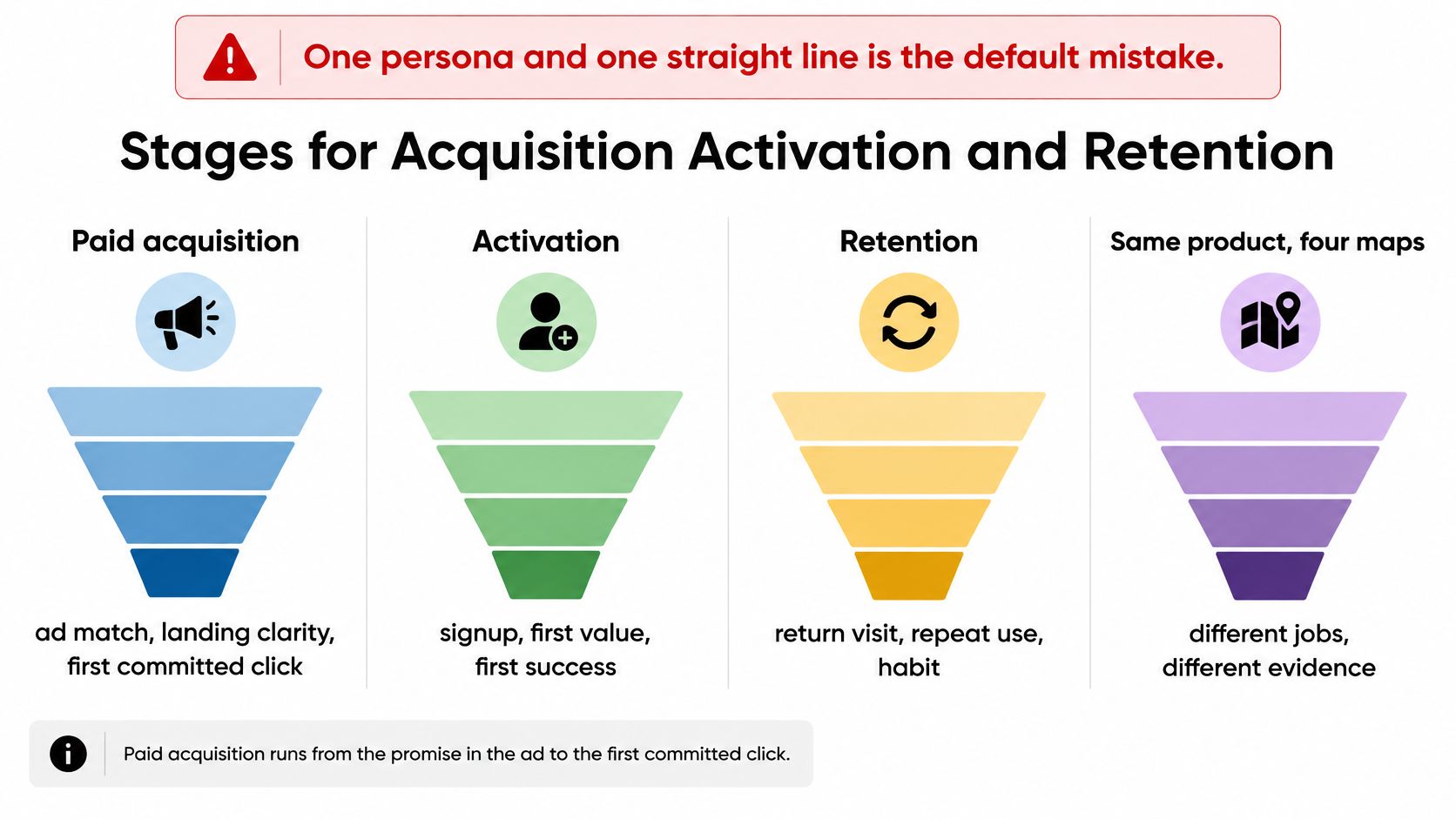
One product rarely needs one map. It needs different maps when the actor, job, and success metric change.
| Funnel | Stages | Actor | Metric | Usual break |
|---|---|---|---|---|
| Paid acquisition | Ad match, landing clarity, proof, offer, click | Anonymous visitor by source and device | Landing conversion rate | Message does not match the ad |
| Product activation | Account, setup, first success, invite, habit | New user who must reach value | Time to first value | Setup asks for work before payoff |
| Retention and expansion | Return, repeat value, upgrade, lapse rescue | Existing champion or payer | Repeat rate and expansion | Silence after the first win |
| B2B buying committee | Problem, evaluation, security, commercial, rollout | Buyer, evaluator, and end user as separate rows | Stage-to-stage progression | End user pain never reaches the signer |
The diagram below shows why those four maps can't share one straight line.
Different actors force different evidence
In paid acquisition, the actor is often anonymous. You can't responsibly follow one named person from an ad click on a phone to a signup on a laptop unless they've consented and signed in. Compare cohorts instead, by source, device, geography, acquisition source, and returning status.
That cohort view is enough to spot a message mismatch. If comparison traffic exits at pricing while branded search continues, you don't need a personal profile to test a clearer total for comparison visitors. A guide to effective website forms for lead generation can help when the break sits at the form itself rather than in the message above it.
In activation, the actor exists inside the product and must reach value. The metric shifts from click-through to time to first value, so stages should follow real event order. If setup asks for an import, a connection, and team invites before showing one useful result, the map should show that work happening before payoff.
In retention, the break is often silence. There's no dramatic exit click when a champion does not return after the first useful report. You need stages for last value, missed habit, and rescue, not only pages visited.
The short video below is a useful check on how stage language changes when you move from first visit to repeated use.
Committees and privacy need separate handling
A B2B purchase breaks the single-actor rule in a different way. The end user feels the daily pain, the evaluator compares security and fit, and the economic buyer signs. Give each role its own row instead of forcing them into one persona who somehow researches, approves, pays, and uses the tool alone.
That discipline matches the warning in the Nielsen Norman Group journey mapping FAQ, which notes that maps need a specific actor and scenario and are undermined when teams omit opportunities, ownership, and metrics. The same section of guidance also supports separating observed, self-reported, inferred, and unknown evidence instead of stitching sessions into a neat identity story.
More identifiers don't make a better map. If cross-device matching or consent is weak, mark the link as inferred. A smaller map with honest gaps beats a detailed map that merges two strangers into one person.
How to Build a Map From Evidence
You can finish a useful first version in two working sessions if you keep the scope narrow. The first session builds the behavioral spine. The second adds motives, labels certainty, and chooses one test.
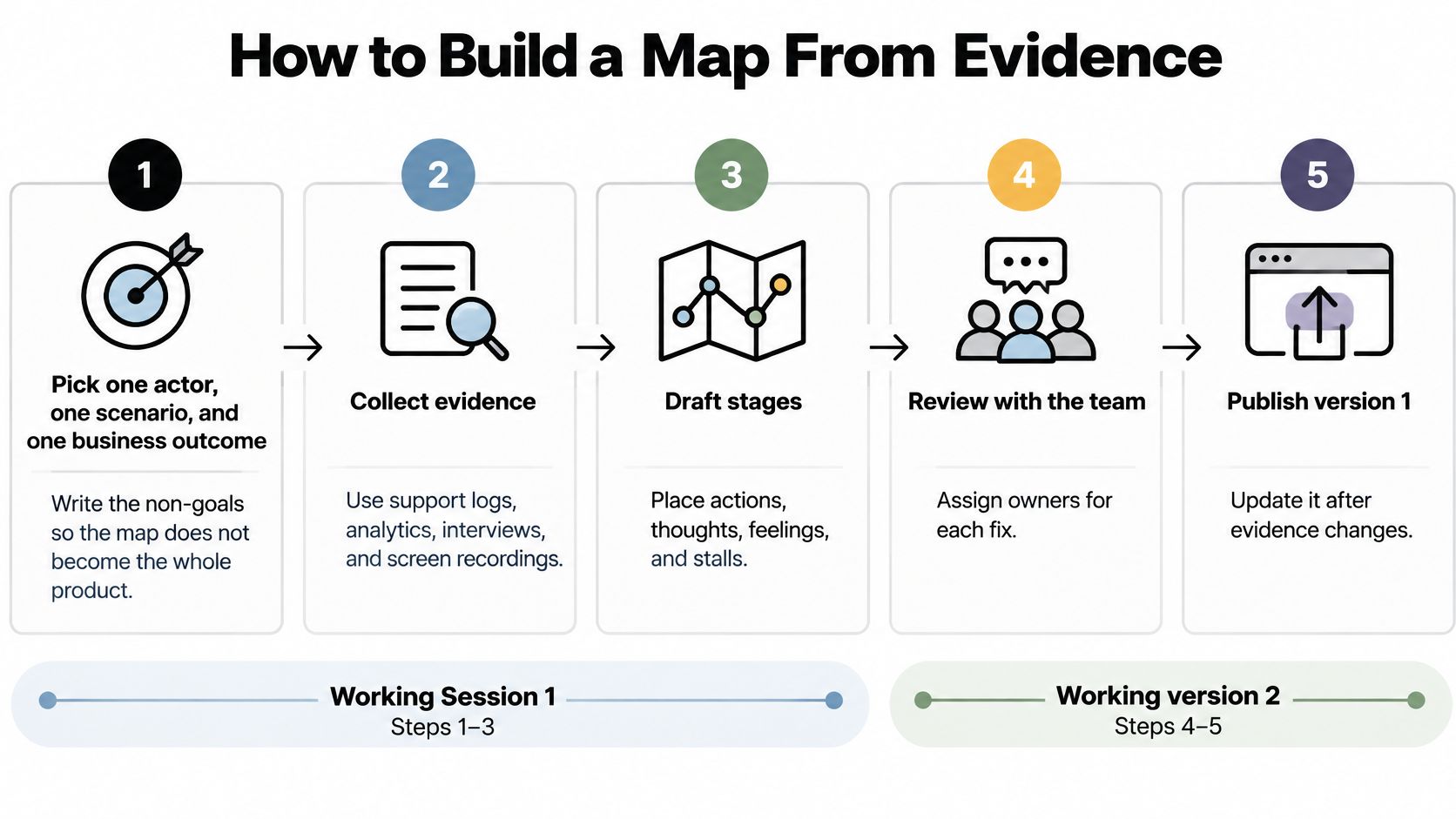
- Pick one actor, one scenario, and one business outcome. Write the non-goals beside them. If renewal, support, and enterprise sales all belong on this map, you've chosen the whole company, not a scenario.
- Draft five to eight stages from existing event order. Use the sequence people follow, not your org chart. A stage named after a department usually hides the user's decision.
- Pull a thin behavioral spine. Record entry source, device, key events, drop-off, and return within a defined window. Keep it thin enough that the team can inspect it in one sitting.
- Talk to finishers and stallers. Interview people who completed the scenario and people who stopped. Ask what question they couldn't answer at the moment they paused.
- Fill actions from behavior and thoughts from quotes. Label every cell observed, self-reported, inferred, or unknown. Don't let a confident stakeholder turn an unknown into a fact by speaking first.
- Mark the single worst stall. Add the opportunity, the metric, and a named owner. One stall gets fixed. Ten stalls become a backlog nobody sequences.
- Read the map back to a frontline teammate. Support or sales staff will spot a stage nobody has seen. Correct it before design starts.
- Turn the top opportunity into one test. Give it a success metric and a review date before anyone ships it.
Where teams usually fake certainty
Step 4 fails when you only interview happy finishers. You'll hear a clean story about why the product is great and miss the question that stopped everyone else. Recruit from exit surveys, stalled accounts, and support chats as well as from active users.
For collecting those reasons without turning every answer into a long transcript, a walkthrough of client feedback collection from PinDrop offers a practical way to gather short, specific responses you can place beside behavioral events. Match a quote to a stage only when the person describes that stage. Don't move a general complaint to whichever cell looks empty.
Step 2 fails when every department adds its own stage. Marketing adds awareness, sales adds qualification, product adds setup, support adds resolution, and suddenly the map is a sitemap with emotions attached. Keep stages tied to the actor's job, not to internal handoffs, unless the handoff is visible to that actor.
Step 5 fails in the workshop itself. Someone says, “They're probably comparing us on price here,” and the facilitator writes it as a thought. That's inferred at best. Label it that way, then decide whether you need an interview or replay to upgrade it.
Done test: A teammate who wasn't in the workshop can point to the stall, the evidence label, the metric, and the owner without a facilitator narrating the map.
If that test fails, don't polish the layout. Add the missing label or owner, or narrow the scenario. A structured conversion rate optimization audit process can then help you decide whether the chosen stall deserves priority over other leaks.
How to Keep the Map Honest Over Time
Teams draw a clean line while people switch devices, reread a page, open support, pause, and come back from another channel. That mismatch is the normal failure mode, not an edge case. Your map doesn't need to capture every detour, but it can't pretend the detours don't exist.
The checklist below keeps those returns and device changes visible when you review the map.
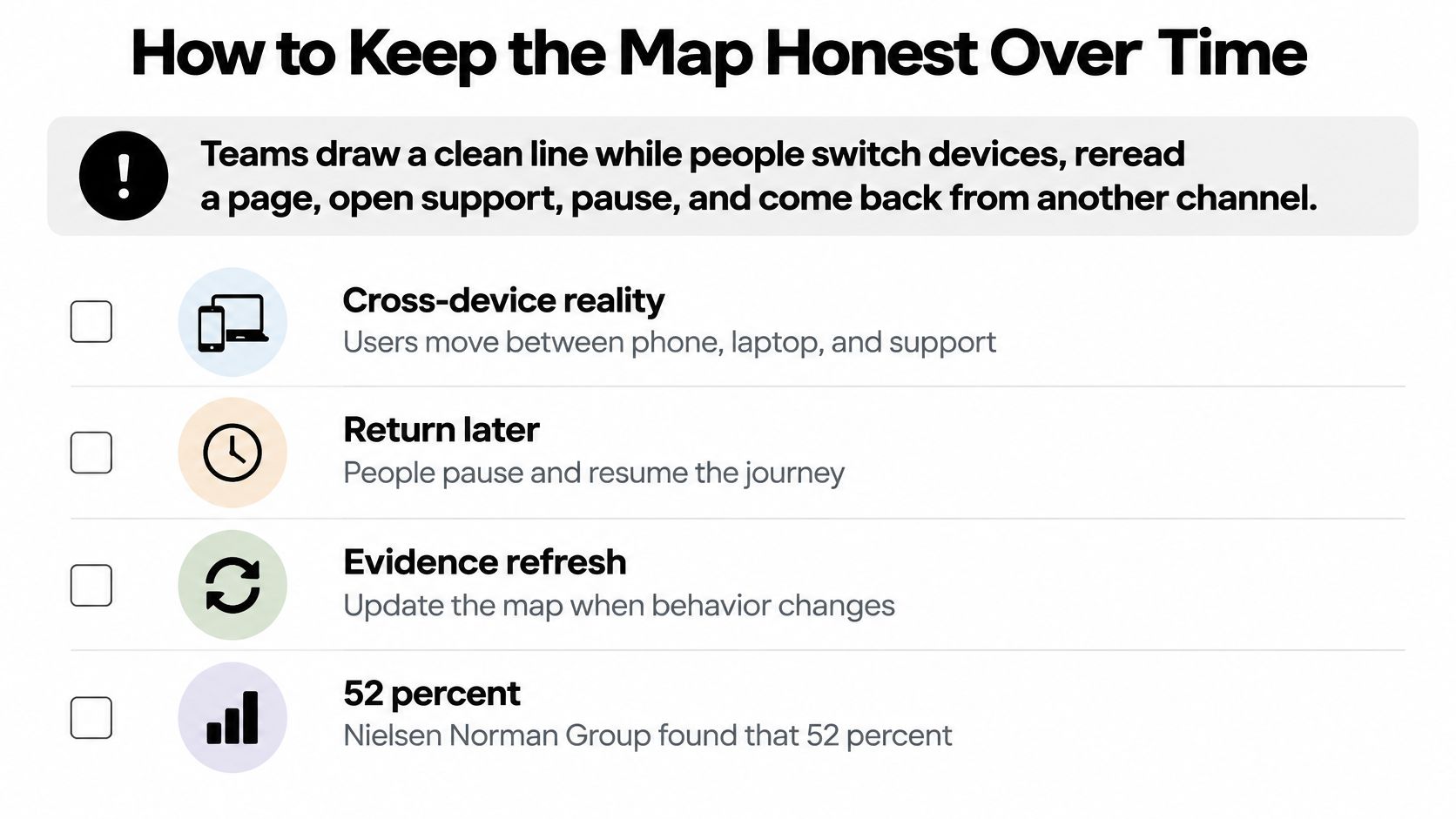
Governance sounds dull until you compare it with the alternative. A Nielsen Norman Group survey of UX practitioners found that 52% of surveyed UX practitioners' frustrations involved unclear process or scope, while respondents also reported weak management buy-in and insufficient follow-through. In other words, maps fail less often because nobody can draw and more often because nobody agreed what the map covered or what happened next.
Set an evidence threshold
Use three plain levels so the team stops treating workshop agreement as proof.
- Draft: The stage is inferred only, or it rests on internal opinion. You may investigate it, but you shouldn't redesign around it.
- Usable for a test: Behavioral data shows the sequence or drop-off, and firsthand accounts explain a plausible motive. You can test the smallest fix.
- Still not proven: A polished visual exists and stakeholders agree with it. Agreement doesn't upgrade the evidence.
Record instrumentation gaps in the same place as pains. If you can't see mobile return visits, price-table interaction, or invite acceptance, write that missing event on the map. Otherwise the next team will mistake “no data” for “no problem.”
Assign ownership and a cadence
Give the map one owner, one success metric, and a review cadence. A 30-minute review each month, or after a major release, is enough for most growth teams. The owner checks whether stages still match event order, whether shipped tests changed a cell, and whether any unknown cells now block a decision.
Reconcile say-do gaps in public. If interviews say price is fine but replays show repeated hovering, scrolling, and exits at the price table, let behavior define what happened and let interviews explain possible reasons. Don't average them into a comforting middle story.
The visual isn't the asset. The asset is scope, owner, metric, validation date, and the rule for updating cells when evidence changes.
Add the validation date directly to the map. A reader should know whether the pricing stall was observed last week or inferred during a planning session long ago. When a test ships, update only the cells it touched, then change their certainty labels based on the new behavior.
That's what keeps user journey mapping operational. Without an owner and a date, even an accurate map becomes history.
Three Maps for Three Different Funnels
Three short scenarios show why the same product needs different maps. Each one names an actor, a stall, an evidence label, and one decision. None of them starts with redesigning everything.
A self-serve SaaS trial from a comparison ad
The actor is a team admin on a laptop comparing two tools during a work break. The stages are promise match, proof, and price trust. The ad promises simple team pricing, the landing page shows features, and the pricing table says “per seat” without showing what five seats cost.
Session replays show scrolling, toggling monthly and annual, and exiting. That's observed behavior. Two short interviews add the motive, fear of a surprise invoice for the whole team. That's self-reported.
The decision stays narrow. Show a plain total before the trial form and make the monthly option the default for this traffic. Measure trial starts from comparison ads, not sitewide conversion and not homepage applause.
Mobile onboarding for an invited teammate
Now change the actor. The invited teammate didn't buy anything and may not know why the invitation arrived. Their stages are accept invite, connect a tool, and see one result.
The stall appears when setup requires a desktop-only connection before showing any value. The teammate opens the invite on a phone, hits the connection step, and leaves with every intention of returning later. Later rarely happens.
Change the order. Let the teammate complete one useful mobile task and see a live result before asking for the connection. Measure time to first value for invited mobile users. Counting completed setup steps would reward more work, not faster value.
Retention after the first month
The third actor is the champion who went quiet. Their stages are last value, missed habit, and cancel page. There's no angry click to inspect, so the team reads support notes and account activity together.
Support notes show the champion couldn't find the report they used in week one. Product events confirm they opened the workspace, searched, and left. The stall isn't motivation. It's rediscovery.
Build a return path to that exact report from the home screen and the weekly email. Measure the repeat rate for accounts that used that report early. For e-commerce teams facing a similar gap between first and second purchase, this resource on how to connect e-commerce acquisition with repeat purchases is worth reading alongside your retention map.
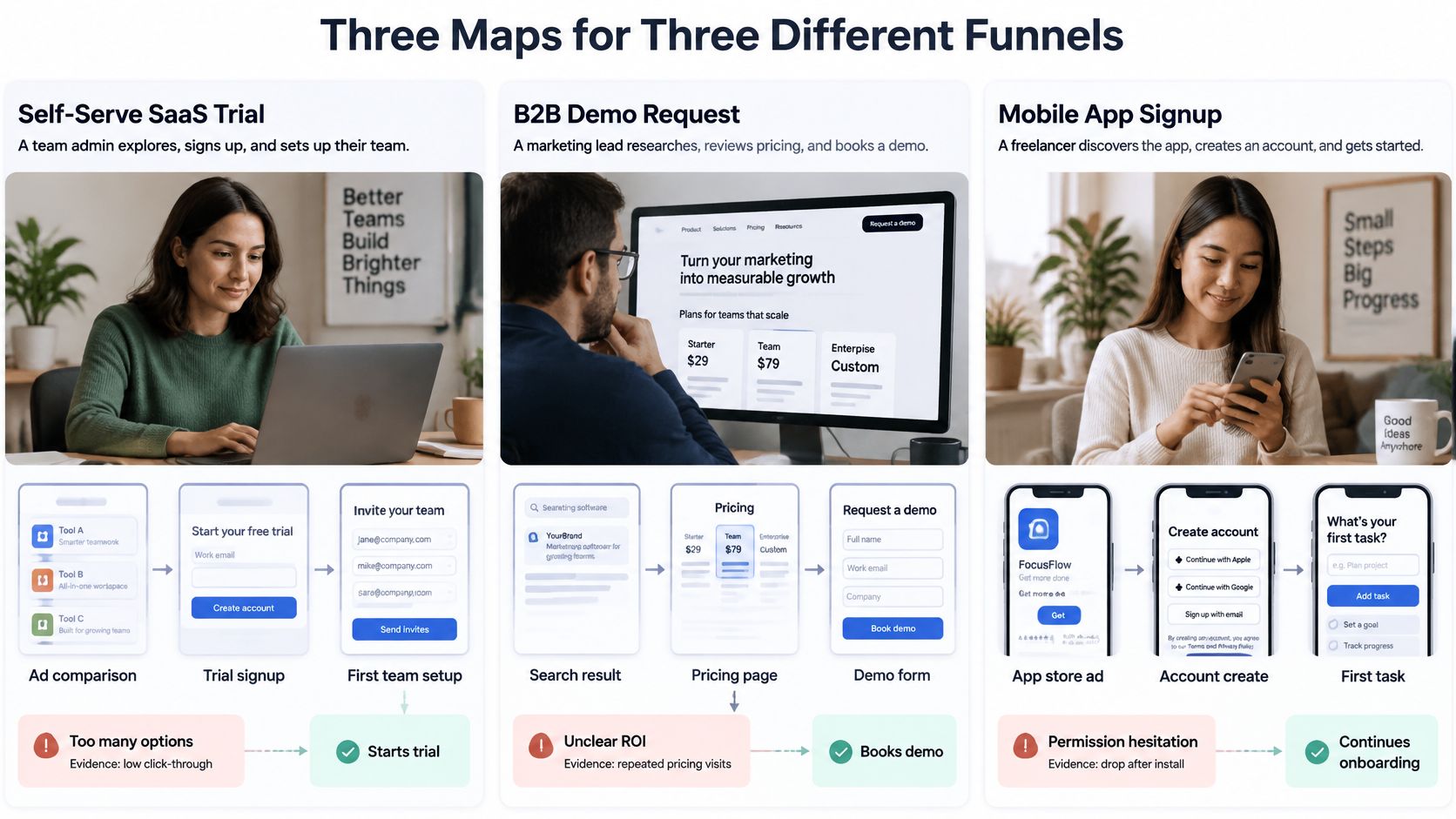
These examples aren't proof that any map creates growth. They work only because each one selects a single stall with a plausible fix. The broader context is encouraging but uneven, since a Hanover Research report on customer journey mapping reports that 47% of surveyed companies had a customer journey map and that the share of companies using maps in 2022 was 12% higher than in 2019.
Among organizations without a map, nearly 2 in 5 expressed interest in creating one. Reported uses were concrete too. 94% of respondents said their maps were useful for developing new products or services aligned with customer needs, almost 9 in 10 used them to refine existing products by identifying and improving service gaps, and 91% said journey maps had helped support sales initiatives.
Turn Map Friction Into the Next Test
Use a strict decision rule. Pick the stall with observed or self-reported evidence, a named owner, and a metric that can move within one release. Leave unknown cells alone until someone watches the behavior or talks to a user.
Write the test in one sentence that names who, stage, change, and success number. For pricing, it reads like this. First-time admins from comparison ads see a plain total before the form, and success is more trial starts from that traffic within the review window.
For onboarding, use the same shape. Invited teammates on mobile see one live result before a tool connection, and success is shorter time to first value, not more completed setup steps. A practical summary of conversion optimisation best practices can help you keep that test sentence tight when stakeholders want to add secondary goals.
For a landing page stall, match the headline, subheading, and call to action to the context that brought the person there. Measure that cohort, whether it came from an ad, a search query, a device type, or a return visit. Don't dilute the result in a sitewide average.
Set the review date before the test starts. When it ends, update the certainty labels on the cells it touched. A map that doesn't change a page, a product step, or a sales conversation is still a poster.
When your map shows that visitors from different ads, searches, devices, or return visits stall for different reasons, Polish can write and test a landing page version for each of those contexts automatically. Install it once, let it adapt your headline, subheading, and call to action for people like each visitor, and use the results to turn your next journey stall into a measurable test.
- user journey mapping
- conversion optimization
- customer journey
- funnel stages
- personas
Your website rewrites itself until it converts.
Polish writes new versions of your headlines and CTAs, tests them on your real visitors and keeps the ones that win.
Start free