AI Landing Page Builder: What It Is and How to Choose
An AI landing page builder tailors headlines and CTAs to each visitor. Learn how it works, what to measure, and how to choose one.
Published on 15 min read
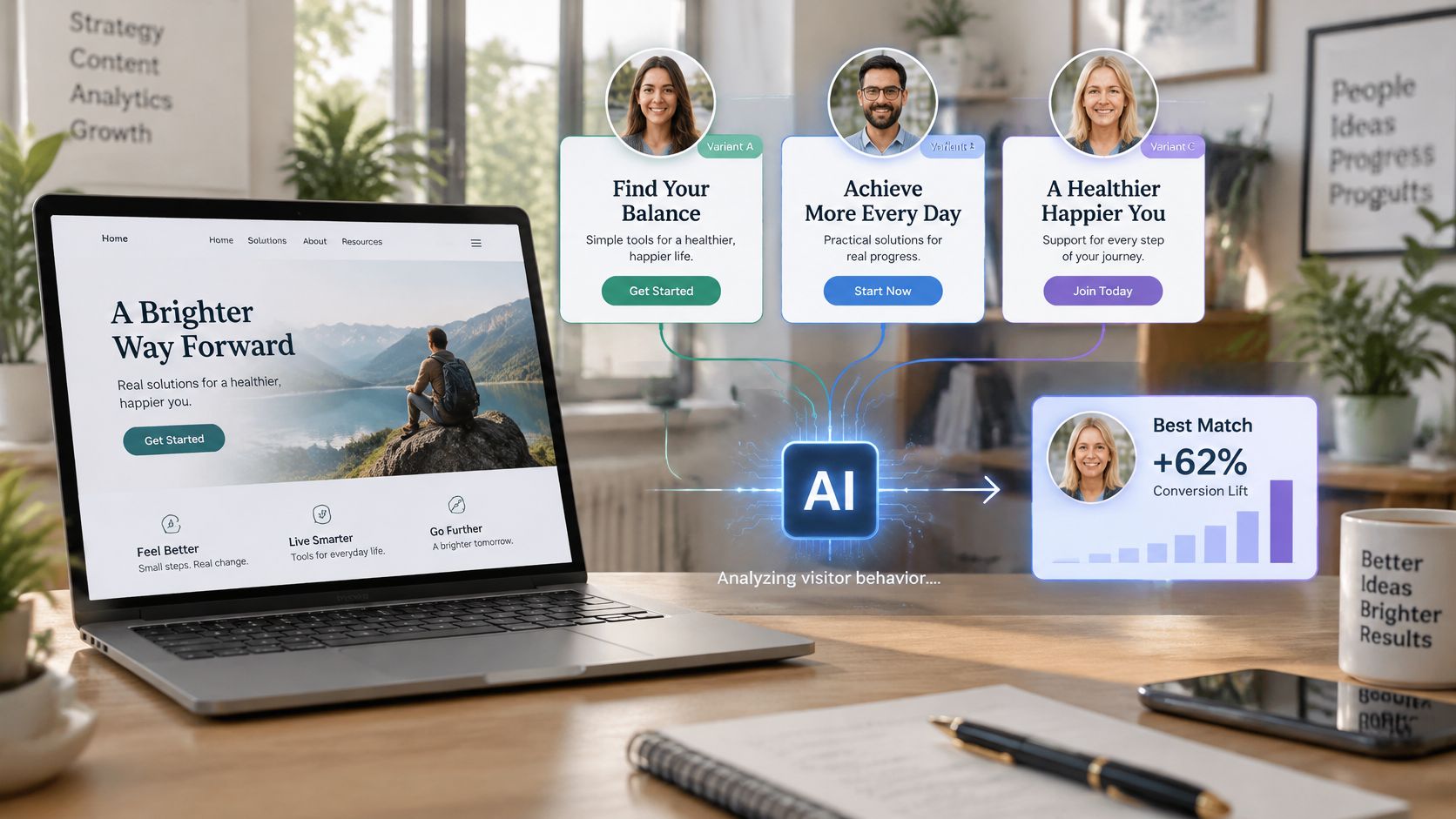
Table of contents
- What an AI Landing Page Builder Is
- How the Builder Picks a Version for Each Visitor
- The Six Steps in the Loop
- Where the Loop Slows Down
- Benefits Teams Gain and Where They Stop
- Why Execution Is the Bottleneck
- Where the Benefits Stop
- Use Cases Across Teams and Traffic Sources
- The Rows That Usually Pay Back First
- Two Poor Fits
- Features and Safeguards to Evaluate
- How to Read the Table When You Compare Tools
- Measuring ROI and Proving the Lift
- A Worked ROI Example
- Run a Holdout-Tested Pilot Before Buying
An AI landing page builder writes and tests page copy variations automatically and shows each visitor the version most likely to convert. It changes three elements most often, the headline, the subheading and the call to action.
You're likely looking at one because the same page now has to serve a paid search visitor who typed a precise query, a social visitor who clicked on curiosity, and a returning prospect who needs no introduction. Writing three good versions for each campaign takes weeks, so everyone gets the compromise version. The useful question isn't whether a tool can write another headline. It's whether it can test enough relevant versions, prove the gain against your original page, and avoid creating trust or accessibility problems while it learns.
What an AI Landing Page Builder Is
An AI landing page builder writes and tests landing page copy automatically and shows each visitor the version most likely to convert. Most tools in this category don't build a complete new page from a brief. They rewrite the headline, subheading and CTA on a page you already have, so you need a live page and conversion tracking in place. If a tool requires rebuilding your site, it's a page generator, not an optimizer of an existing landing page.
A standard page builder is like a printed brochure that every customer reads the same way. An AI builder works more like a salesperson who adjusts the pitch after hearing where each customer came from. That distinction matters because relevance has commercial weight, and the Adobe personalisation report reports that 48% of marketers who implemented personalization on websites and applications achieved a double-digit lift in revenue, while personalization applied to the web alone produced lifts of up to 15%. Don't read those figures as a promise for your page. Read them as a reason to test relevance properly.
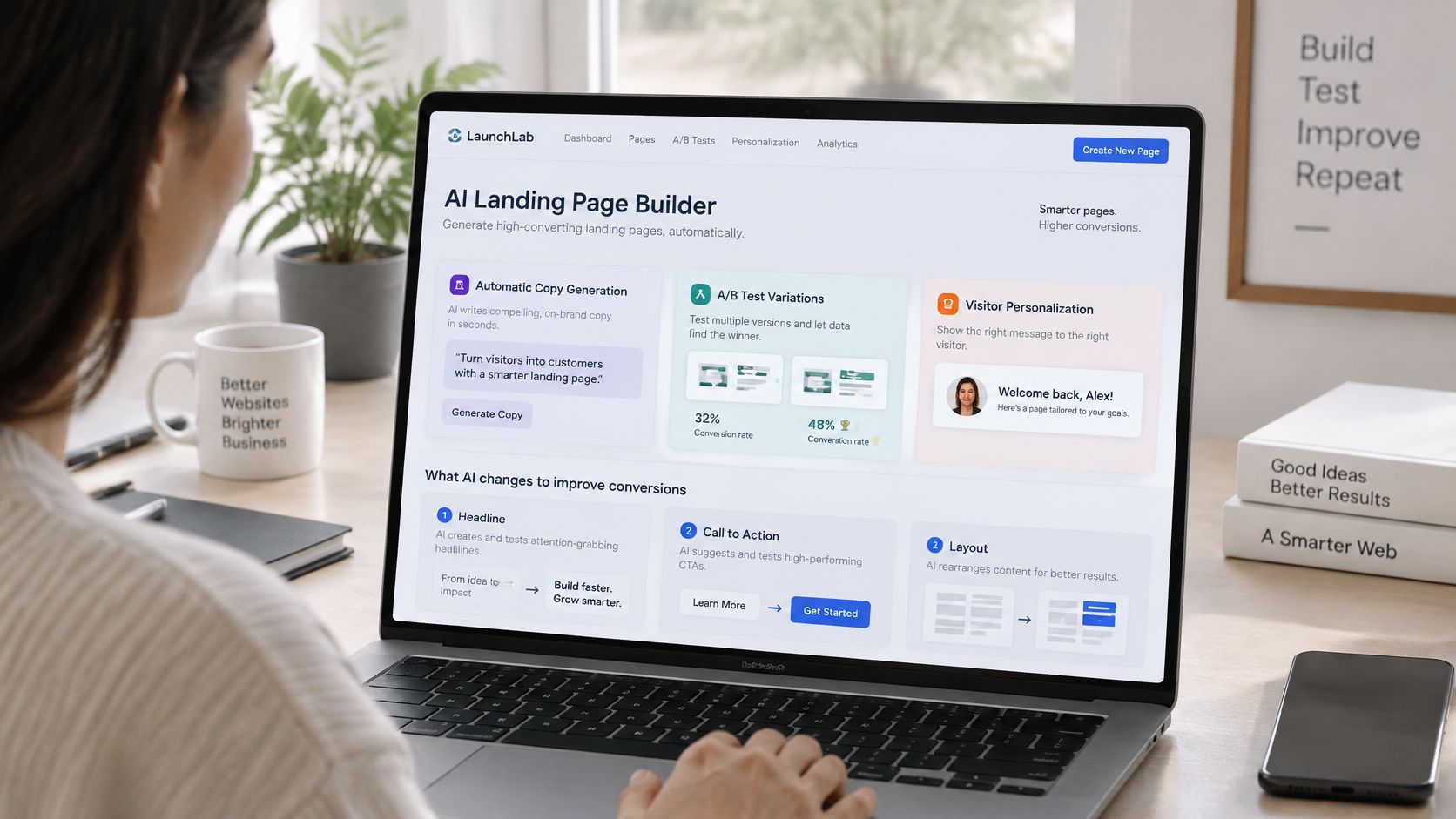
Say a bakery runs search ads for wedding cakes and social ads for weekday bread subscriptions. Manually, you might write and test a few versions a month. The builder can produce and compare many across traffic sources and devices, then keep the stronger wording for each group.
| Factor | Manual Landing Page | AI Landing Page Builder |
|---|---|---|
| Who writes the copy | A marketer or copywriter writes one version | The system generates many candidate headlines, subheadings and CTAs |
| Audiences served | The same page for almost every visitor | Versions matched to source, device, country and returning status |
| How testing works | Manual A/B tests, often fewer than four a month | Continuous testing, with results fed back into later visits |
| Setup effort | Design, copy and build for each page | Install a script or connect the tool, then set brand rules |
| Main risk | Slow to adapt when campaigns change | Off-brand or unverified claims if no review is in place |
What changes for you isn't the design work. It's the number of relevant versions you can run at once. Teams that also need the page in front of the landing page to warm visitors up can look at Landra's pre-sell page platform as an example of that separate step.
How the Builder Picks a Version for Each Visitor
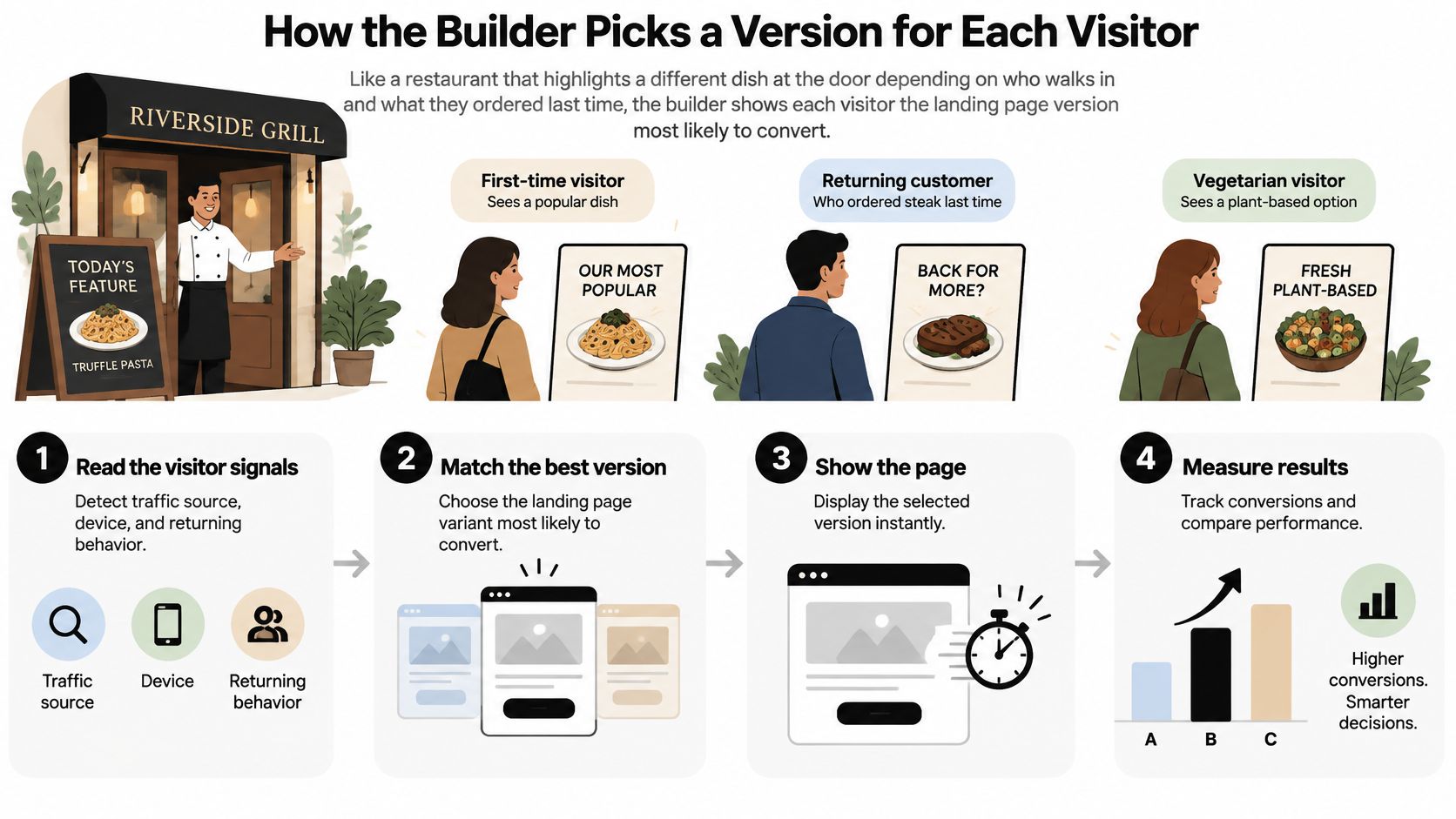
Think of a restaurant that rotates which dish it highlights at the door, depending on who walks in and what they ordered last time. Office workers at lunch see the quick set menu. Someone who booked for an anniversary sees the tasting menu. The kitchen doesn't change. The recommendation at the entrance does. An AI landing page builder runs the same loop on words.
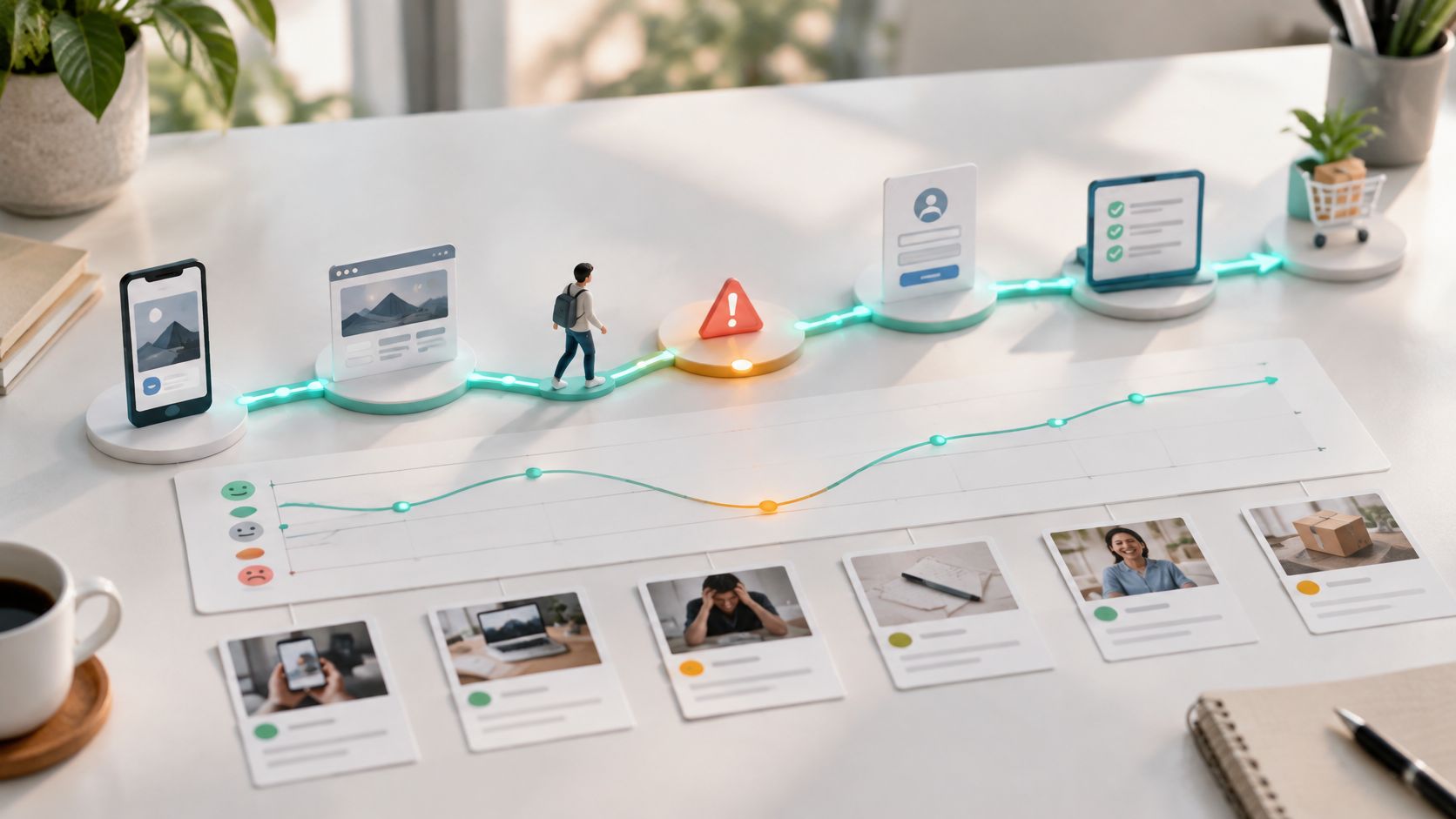
The diagram below shows the loop in its simplest form, from reading signals to measuring the result.
The Six Steps in the Loop
- Read the existing page: The tool maps your sections, offer, proof and claims, so its rewrites stay tied to what you're selling rather than inventing a new proposition.
- Generate candidates: It writes several headlines, subheadings and CTAs within the brand rules you set. A good setup includes banned words, approved claims and pricing wording it can't touch.
- Read the visit context: Each arrival carries signals, such as a search keyword, social post or email campaign, plus device, country and whether it's a first visit or a return. AI powered personalization in practice starts with context you already know at the moment of arrival.
- Choose a version: The builder serves the version that converted best for similar visitors, but it still sends a share of traffic to alternatives. That exploration keeps the system learning instead of locking onto an early winner that only won by luck.
- Record the outcome: A click alone isn't enough. The tool should track the action that counts for the page, such as a form submit, trial start or purchase, tied to the exact variant that visitor saw.
- Feed the result back: Conversions and non-conversions adjust the next choice for similar visitors, so each visit starts from a better guess.
The short walkthrough below shows the serving step from a visitor's point of view, which helps when you need to explain the change to a non-technical stakeholder.
Where the Loop Slows Down
There's a cold start limit you should plan for. On the first day, the system knows your page but it doesn't know your visitors, so early choices are informed guesses. A page with only a few hundred visits a month can take weeks to learn anything reliable, and splitting that small pool across many variants makes it slower. Reduce the number of candidates, focus on one audience first, or wait longer before judging.
You can run a simple check before you buy. Look at last month's sessions and conversions for the page. If doubling the test group would still leave you guessing after a month, the page needs more traffic first. The wider discipline behind this loop is covered well in Migliorare le conversioni delle landing page, which treats each change as a test rather than a redesign.
What the visitor sees is uneventful, and that's the point. The layout stays the same, your images stay the same, and the form stays in place. Only the words change, which is why review and tracking matter more than the generation step itself.
If you can't tie each variant to a recorded conversion, you don't have a learning system. You have rotating copy.
Benefits Teams Gain and Where They Stop
The first benefit teams notice is relevance by traffic source without new design work. Say you sell invoicing software and run a campaign aimed at freelancers. The builder can serve a headline that names freelancers to that campaign traffic, while the generic page stays for everyone else. Your designer doesn't build a second page, and your copywriter doesn't maintain five near identical versions.
Testing cycles get faster for the same reason. Generating candidates stops being the bottleneck, so more of your time goes into deciding which offer to test and which claims you're willing to run. Winning language then travels. If a subheading about getting paid on time beats one about saving admin time on the landing page, that phrase is worth trying in the advert, the email subject line and the sales deck.
Why Execution Is the Bottleneck
The gap isn't intent. In the Adobe future of marketing research, based on 6,000 consumers, marketing practitioners, and marketing leaders across six countries, 94% of brands considered delivering personalized experiences at scale a top priority, yet they were personalizing only 25% to 50% of their marketing content, compared with a target of 50% to 75%. An AI landing page builder targets exactly that production and testing gap.
Where the Benefits Stop
- Low traffic pages learn slowly: The tool makes more versions, but it can't manufacture the visits needed to judge them.
- Copy can drift generic: Generated headlines often sound plausible and forgettable, so brand rules and human review aren't optional extras.
- Legal review gets harder: When wording changes often, a compliance team needs to see what ran, when, and for whom.
- Tracking has to be clean: If form submits double count or campaign tags are inconsistent, the system learns from noise and confidently serves the wrong version.
Use a plain test before spending. If a page doesn't get enough traffic to show a difference within a few weeks, the builder won't pay off there yet. Start where visits and conversions are already concentrated.
Use Cases Across Teams and Traffic Sources
The best use case is one where the traffic source tells you something specific about the visitor. If source, campaign and return status tell you nothing new, the builder has nothing useful to match against, and you'd be paying for variation without information.
| Use Case | Traffic Source | What the Builder Varies | Metric to Watch |
|---|---|---|---|
| Paid search campaigns | Google Ads keyword groups | Headline echoes the search term, price or offer | Cost per lead |
| Paid social campaigns | Meta or TikTok ad sets | Hook and proof points for each audience segment | Click-to-lead rate |
| Ecommerce product launches | Email and retargeting | Product benefit and urgency in the CTA | Add-to-cart rate |
| B2B SaaS free trials | Webinars and content downloads | Use-case subheading matched to the visitor's industry | Trial sign-up rate |
| Returning visitors | Direct and repeat traffic | Skips the intro and leads with the next step | Repeat conversion rate |
| Local services | Maps and local search | Location and availability named in the headline | Booked calls per week |
| Multi-country brands | Country and language signals | Local offer, currency and proof points | Conversion rate by country |
The Rows That Usually Pay Back First
Paid search is the clearest case because the keyword states the intent in the visitor's own words. Say a shopper searches for a specific product model. The headline should name that model, not open with a generic store message, because the visitor is checking whether they landed in the right place. Watch cost per lead rather than click rate, since a headline can attract cheaper clicks that never convert.
Paid social works the other way around. The visitor wasn't searching, so the hook matters more than the product detail. Matching the page's opening line to the angle in the advert, whether that's price, speed or a common frustration, keeps the promise consistent between the click and the page.
Returning visitors need less persuasion and more direction. They've read the introduction, so the page can skip it and lead with the next step, such as finishing an application or booking the call they viewed last time. The risk to watch is assuming too much. A returning visitor may be comparing you again, not ready to buy.
Two Poor Fits
Regulated products are a poor fit when every claim needs legal approval before it appears. If approval takes days per variant, the testing speed you bought disappears. Pages with too little traffic to test are the second poor fit, because you'll get confident looking results built on too few conversions.
Selection rule: Pick the use case where you can describe the visitor in one sentence from the source alone. If you can't describe them, the tool can't write for them.
Features and Safeguards to Evaluate
A builder earns its cost when it helps you run fair tests without harming trust, accessibility, or compliance. Conversion rate is only one check. A page might convert better for one group while publishing an unchecked claim, using personal data in ways visitors do not expect, or making content harder to use with assistive technology. A study on AI driven personalization and privacy concerns describes the same tension: personalization can increase engagement while raising privacy concerns.
| Criterion | What Good Looks Like | Red Flag |
|---|---|---|
| Context matching | Source, device, country, and new versus returning visits | One global variant for everyone |
| Holdout control | 5% to 10% of traffic kept on the original page | Only an AI lift dashboard with no control group |
| Approval controls | Human review before claims or prices go live | Publishes generated copy automatically |
| Audit log | Every variant, its dates, and its traffic recorded | No change history |
| Accessibility checks | Contrast, heading order, labels, and alt text tested | No accessibility testing after changes |
| Privacy controls | Contextual signals, retention limits, and opt-out | Uses sensitive profiles without explanation |
| Fallback behavior | Original page restored if the script fails | Page breaks when the script fails |
| Implementation | One script that works with the current site | Requires rebuilding the site |
How to Read the Table When You Compare Tools
Start with context matching. A tool that shows everyone one version cannot adapt to the visitor's source, device, country, or visit history. Check that it uses those signals in a way you can explain, rather than treating personalization as a black box.
Next, review approval controls alongside the audit log. Human review can catch unsupported claims or incorrect prices before publication. The log should let you see which variant ran, when it ran, and how much traffic it received. Together, these features make it possible to check what visitors saw.
Accessibility needs a test, not a reassuring answer in a sales call. Suppose a generated headline improves click-through, but the main message is placed in an image without a text alternative. Visitors using a screen reader may miss the message entirely. Ask the vendor to show how it checks contrast, heading order, form labels, and alt text after each change, and whether it blocks a variant that fails.
Accessibility rules for digital services are tightening in many markets, so check each variant against WCAG before it goes live. Use the same checks on every version, including changes to headlines, images, and forms. A variant should not pass review just because its words look right.
For privacy controls, ask three direct questions: Which signals does the tool process, and can it use contextual signals such as source and device without sensitive profiling? How long does it retain visitor-level data? Can visitors opt out, and what do they see when they do? If the vendor cannot answer plainly, you cannot tell whether the setup fits your privacy expectations.
The final two rows matter to the project as well as the page. If a script fails during a campaign, the original page should still load. If setup requires rebuilding the site, what began as a copy test can turn into a larger web project with a longer timeline.
Before comparing conversion claims, check the guardrails: holdout control, human review, an audit log, accessibility checks, privacy limits, and a working fallback. These determine whether a promising result can be tested fairly and used without creating avoidable risks.
Measuring ROI and Proving the Lift
Start with the trap. A dashboard can show a big lift that's really a selection effect, meaning the tool gets credit for visitors who were more likely to convert anyway. The personalization experimentation analysis gives an advisory example where an apparent 22% lift fell to 3% under a randomized holdout, and it also reports that 68.2% of organizations conduct fewer than four A/B tests monthly in one 2025 synthesis. A smaller gain that survives a fair test is worth more than a dramatic number nobody checked.
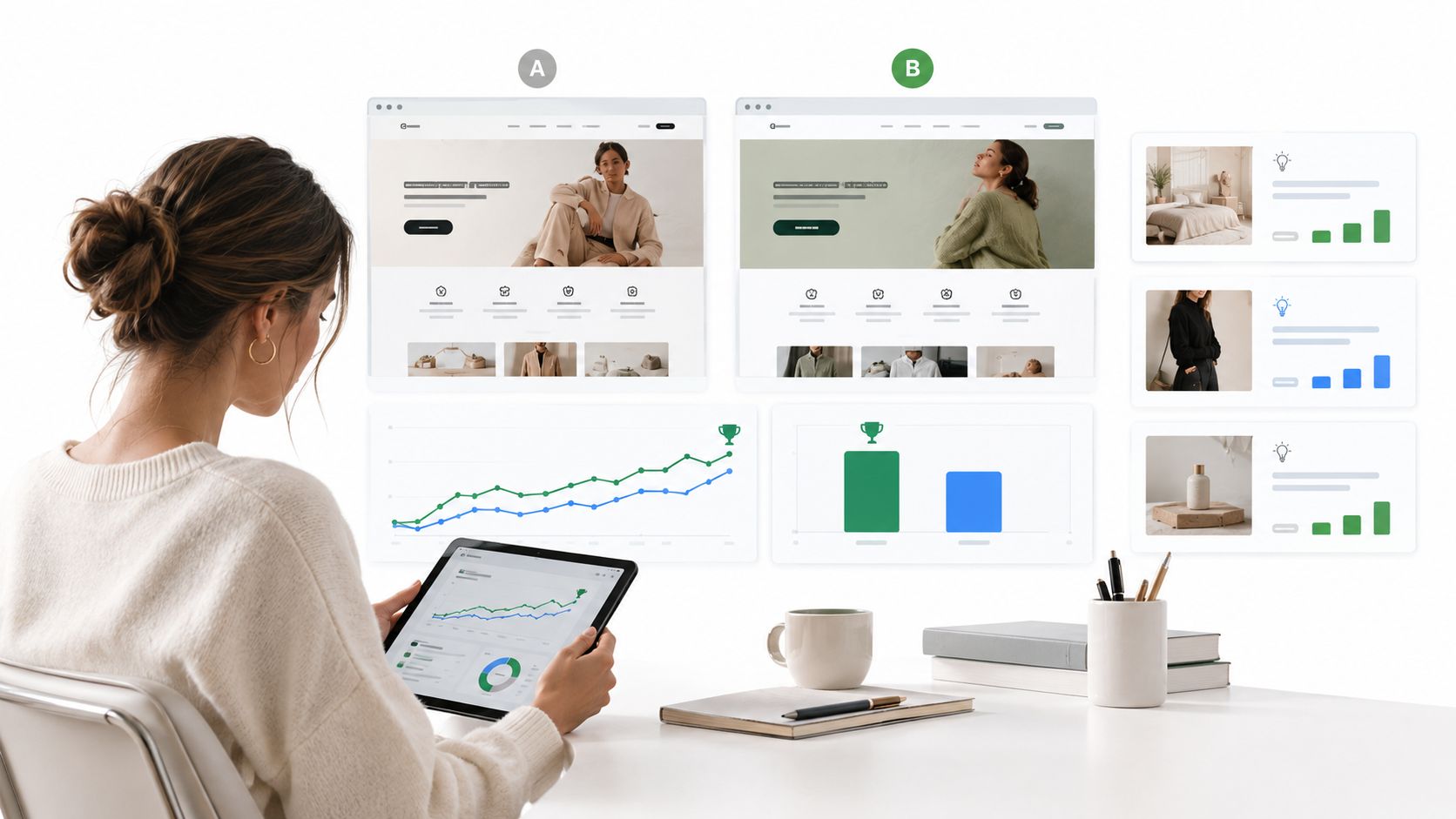
The infographic below shows that correction, from headline lift to holdout tested gain.
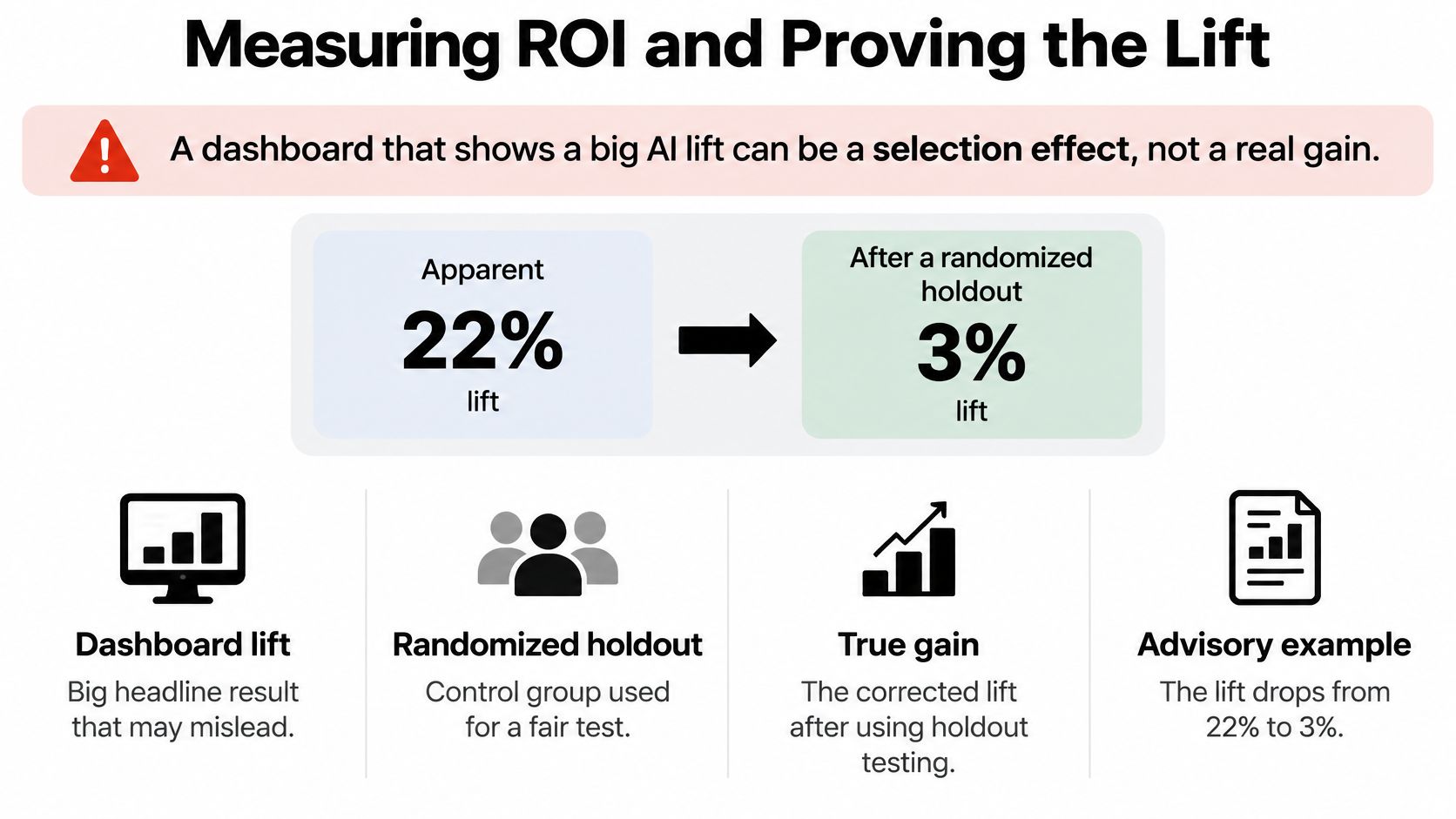
A holdout is simple. A randomly chosen 5% to 10% of traffic keeps seeing the original page while everyone else gets the AI versions, so you always have a fair comparison running. Report results on an intent-to-treat basis, meaning every assigned visitor counts in their group, not only the engaged ones. That's the standard that separates cause from coincidence.
| Metric | What It Tells You | Check or Target |
|---|---|---|
| Baseline conversion rate | Starting point before the tool runs | Measured for four weeks before launch |
| Randomized incremental lift | Gain compared with the holdout group | Positive, with the interval above zero |
| Confidence interval | The range of plausible lift | Narrow enough to act on |
| Sample size | Visitors in each group | Enough for the test length chosen |
| Holdout performance | Results of the original page | Stable across weeks |
| Bounce rate (guardrail) | Relevance and friction | No rise above baseline |
| Lead quality (guardrail) | Sales acceptance of leads | Equal or better than holdout |
| Revenue per visitor | Real business value | Higher than holdout |
| Unsubscribe rate (guardrail) | Damage to trust | No increase |
A Worked ROI Example
Run your own numbers before a demo, using a tool such as a conversion lift calculator for your baseline and traffic if it speeds up the arithmetic. Say a page gets 20,000 monthly visitors at a 2% conversion rate. That's 400 leads a month. A 10% relative lift adds 40 leads, not hundreds. At $50 per lead, those extra leads are worth $2,000 extra per month. Subtract the tool cost and the staff time spent reviewing variants, and you have the net return you can defend.
The guardrails keep that arithmetic honest. More leads aren't a win if sales rejects them, if revenue per visitor falls, or if unsubscribes rise. The same discipline applies outside landing pages, and Purple's guide on how to demonstrate hospitality marketing value is a useful parallel for reporting gains in money rather than clicks.
Two reporting details matter. First, separate the aggregate lift across all visitors from performance among only engaged users, since the second figure nearly always looks flattering. Second, watch segment size. When every visitor can see a different experience, groups get small fast, and the system can overfit to one campaign, device or country that happened to convert well that week.
Report the holdout result to your leadership team, even when it's smaller than the dashboard number. A defensible lift survives budget reviews. A headline lift doesn't.
Run a Holdout-Tested Pilot Before Buying
Treat the pilot as a small experiment, not a migration. One page, one clear offer, one decision at the end.
- Pick one high-traffic page: Choose a page with a clear offer and a conversion you already trust. A sound landing page split test structure gives you the shape to copy.
- Record a four-week baseline: Note conversion rate, lead quality and revenue per visitor, so later movement has something to be compared against.
- Install and verify: Add the script or connect the tool, then submit a test form or purchase yourself. Check the page renders, the conversion records, and the variant is logged against it.
- Set brand rules: Write down approved claims, banned words, pricing wording and who approves changes. Name a person, not a team.
- Reserve the holdout: Keep 5% to 10% of traffic on the original page for the whole pilot, not only the first week.
- Run at least two full business weeks: Weekday and weekend visitors behave differently, so a shorter run can mislead you.
- Review the scorecard and decide: Expand to a second page, adjust the rules and rerun, or stop. Decide which of the three you'll accept before you start.
Tools differ in how much of this they automate. Polish, for example, installs one script, reads the page, writes headline, subheading and CTA variants, and picks one per visitor by source, campaign, device, country and visit history. Whatever you evaluate, ask for two artifacts before signing, the holdout report and the audit log. A vendor who can't produce them on a pilot won't produce them under contract.
The decision rule is deliberately plain. Commit only when the lift survives the holdout and every guardrail holds. If either fails, you've learned something cheaply, which is exactly what a pilot is for.
Polish reads your existing landing page, generates headline, subheading and CTA variants, and serves each visitor the version that converts best for people like them, based on source, campaign, device, country and visit history. Run it as a holdout tested pilot on one high traffic page, review the lift against your original, and check the guardrails before expanding. Start your pilot with Polish.
- AI landing page
- landing page personalization
- conversion optimization
- AI personalization
Your website rewrites itself until it converts.
Polish writes new versions of your headlines and CTAs, tests them on your real visitors and keeps the ones that win.
Start free