Testing in Prod Explained: Safe Live Tests Made Simple
Testing in prod explained: what it is, the common approaches, real benefits, hidden risks, and the safeguards that keep live tests safe for users.
 Sacha Kleynjans

Table of contents
- What Testing in Production Means
- A working page can still fail its users
- Common Ways Teams Test on Live Systems
- How a canary works
- Match the method to the uncertainty
- Why Teams Test in Production Anyway
- Real conditions expose hidden assumptions
- The Risks Behind Every Live Test
- Check more than the changed code
- Business failure is still failure
- When Not to Test in Production
- Apply the go-or-no-go test
- Safeguards That Keep Live Tests Safe
- Define the boundaries
- Require evidence before expansion
- When Live Testing Gives False Confidence
- Challenge a passing result
- Start Your First Safe Live Test
- Write the launch card
Your new landing page is ready. The preview looks right, the form works, and someone asks whether you can put it live before the next campaign starts. You still don't know how it will behave on customers' phones, with actual ad traffic, or when returning visitors meet an unfamiliar message.
Testing in prod means answering those questions deliberately, without treating every visitor as an unpaid quality tester. The standard isn't that the page stays online. It's that customers can still complete their tasks, and your team can detect and stop harm to users or revenue.
What Testing in Production Means
A restaurant wants to introduce a new fish dish. Rather than replacing the whole menu immediately, the chef offers it to a few tables, asks for feedback, and keeps the familiar dishes available.
Testing in production means checking a change on a live system under real conditions, with defined limits and a way to stop.
The restaurant analogy makes the distinction concrete.

In software, staging is the rehearsal room. Your team checks layouts, interactions, integrations, and expected failures before customers arrive. Production is the stage where customers use the service.
Staging remains essential. But you can't exhaustively rehearse every combination of device, country, campaign source, visit history, and timing.
A working page can still fail its users
Say you replace a landing-page headline with a shorter, more technical promise. Visitors from paid search understand it because their search already supplied the context. Visitors arriving from a social post don't know what the product does.
The page renders correctly for both groups. Yet one group receives a less useful experience, and fewer people complete the next step.
To turn that exposure into a test rather than a guess, define:
- The audience: Name the users eligible to receive the change.
- The comparison: Keep the current version available as a baseline.
- The exit: Decide how to stop the change and restore the previous experience.
A successful deployment proves that you shipped something. It doesn't prove that customers are better off.
Live testing supplements pre-release checks; it doesn't excuse skipping them. You should still catch broken links, inaccessible controls, and obvious form errors before exposing visitors.
Like the chef, you're learning from a limited service, not asking every table to accept an unproven menu. The practical questions are which approach answers your question, what could go wrong, and what will protect customers while you learn.
Common Ways Teams Test on Live Systems
Live-testing approaches compared
| Approach | What it does | Who sees the change | How to stop it |
|---|---|---|---|
| Feature flag rollout | Switches a change on for chosen users | Users selected by the flag rules | Turn the flag off |
| Canary release | Sends a change to a small, time-limited slice of traffic | A small share of real visitors | Route traffic back to the current version |
| Dark launch (shadow traffic) | Runs new code on copied requests without showing results | Nobody sees the output | Stop the shadow copy |
| A/B experiment | Compares two versions at the same time on split traffic | Each group sees one version | End the test and keep the control or the winner |
| Synthetic monitoring | Runs scripted checks against the live site | No real users; scripts run the checks | Remove or edit the script |
| Early-access ring | Releases to internal staff, then beta users, then everyone | Staff and beta groups first | Halt the ring before the next group |
These approaches answer different questions. A feature flag controls availability; it doesn't automatically create a fair experiment. Synthetic monitoring checks whether a scripted journey works, but it can't tell you whether customers find a headline persuasive.
Shadow traffic helps you examine new code without displaying its output. Keep shadow processing isolated from real side effects so copied requests can't create orders, send emails, or change customer records.
How a canary works
A canary release gives a limited audience the new version while the existing version remains active. The Google SRE workbook's canarying guidance recommends selecting a small set of metrics that reveal user-perceivable problems, rather than watching every available signal.
Check error rate, latency, and saturation, meaning how close resources are to their operating limits. For a growth system, add a business guardrail such as signup completion or revenue per visitor. A fast page isn't a good release if customers stop buying.
The control must run at the same time as the candidate. Comparing today's candidate with yesterday's average can confuse the change's effect with a new campaign, different visitor mix, or seasonal demand.
For landing pages, define eligible cohorts by campaign, device, or country, then split comparable visitors between versions. Don't send all mobile visitors to the candidate and all desktop visitors to the control; you'd be measuring audience differences as well as copy differences.
Match the method to the uncertainty
If you want to know whether people want a proposed feature, a fake-door test may answer the demand question before you build it. Make the follow-up honest so visitors aren't misled about availability.
If you need to know whether existing customers can finish checkout, use journey checks and controlled exposure instead. Choose the approach that exposes the fewest users while still producing a meaningful answer. The smallest possible cohort isn't useful if it leaves you unable to detect the problem you're investigating.
Why Teams Test in Production Anyway
In a 2024 survey commissioned by LaunchDarkly and conducted by Wakefield Research, 74% of LaunchDarkly customers said they spent 25% or less of their time fixing or testing code, compared with 30% of non-customers, according to LaunchDarkly's survey summary. That's an observational, vendor-commissioned comparison, not proof that production testing caused the difference.
The practical argument for live testing is narrower: some questions require conditions your team can't fully reproduce beforehand. You need to see whether the intended experience survives contact with actual customer behavior.
Real conditions expose hidden assumptions
Say a checkout button passes your browser checks but fails on an older phone used mainly by visitors in a particular country. Your staging environment verified the devices you selected. It didn't establish that every customer could buy.
A scoped release can reveal the failure while your team can still investigate a contained exposure. Device-level completion metrics help locate the affected visitors; session diagnostics and error logs help explain the cause.
Other useful discoveries include:
- Message mismatch: An ad promises a quick estimate, but the landing page asks visitors to book a consultation.
- Returning-user friction: A familiar action moves, and existing customers struggle to find it.
- Integration differences: A form works with test credentials but fails against the live service.
These aren't reasons to abandon staging. They're reasons to recognize its boundaries.
Practical rule: Use pre-release testing to remove known defects. Use controlled live testing to investigate uncertainty you can't resolve safely elsewhere.
Feedback can arrive while an eligible campaign is running, rather than after a broad launch and a delayed review. But observation speed and decision speed aren't the same: complaints or errors may justify an immediate stop, while conversion quality may need longer follow-up.
The benefit comes from learning with limits. Without those limits, the same exposure that reveals a problem also makes customers bear its cost.
The Risks Behind Every Live Test
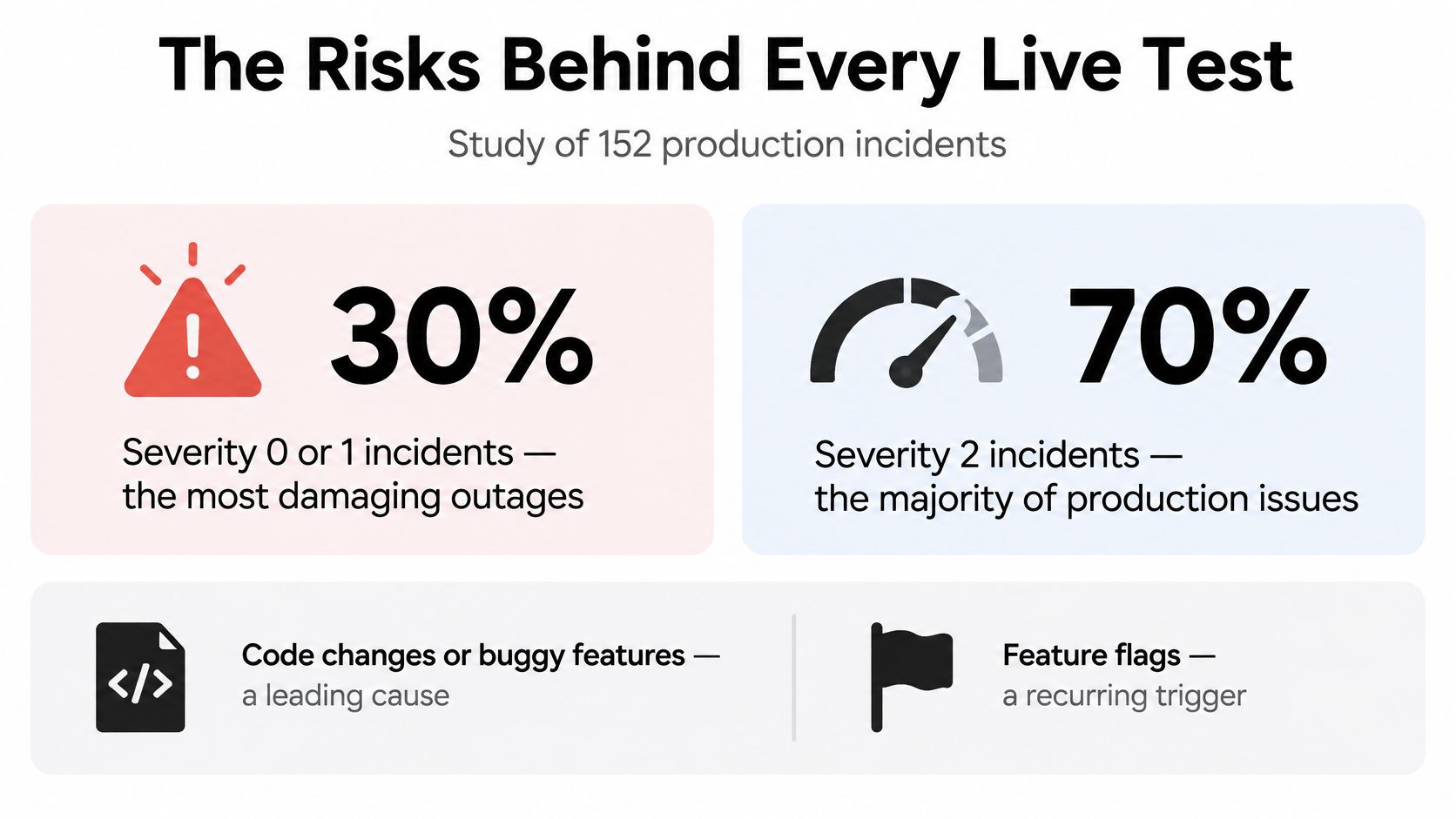
In a study population of 152 production incidents, 30% were severity 0 or 1 and 70% were severity 2, according to the incident analysis summarized by Systems Distributed. Its cause categories attributed 24.4% to code changes or buggy features and 24.4% to feature flags and constants; its deployment-related breakdown reported 55.0% involving certificate expiry or rotation and 25.0% involving faulty deployment or patching.
This is one incident population, not a universal benchmark. The severity, cause, and deployment breakdowns describe different dimensions and shouldn't be added together.
Incident pattern across 152 production incidents
| Category | Share of incidents |
|---|---|
| Severity 0 or 1 | 30% |
| Severity 2 | 70% |
| Code changes or buggy features | 24.4% |
| Feature flags and constants | 24.4% |
| Involved certificate expiry or rotation | 55.0% |
| Involved faulty deployment or patching | 25.0% |
The visual summarizes the severity split, not a forecast for your next release.
Check more than the changed code
A release can pass functional checks and still fail because the live environment differs. Before starting, examine these risk sources and assign a safeguard to each:
- Configuration and flag state: Inspect targeting rules, defaults, and dependencies. Rehearse disabling the change.
- Certificates and expiry: Verify that required connections remain valid throughout the test window.
- Deployment timing: Separate unrelated releases so you can identify which change caused a regression.
- Traffic spikes: Check capacity and automatic stop conditions before a campaign increases demand.
- Live integrations: Verify permissions, payment boundaries, and external service behavior without creating unintended customer actions.
A kill switch limits future exposure. It doesn't automatically undo an email already sent, a charge already attempted, or information already disclosed. Plan recovery for consequences, not just code.
Business failure is still failure
Suppose a variant replaces a clear price explanation with an appealing but ambiguous promise. The infrastructure can remain healthy while customers misunderstand the offer, abandon later, or submit unsuitable inquiries.
Pair conversion measurement with a downstream check such as qualified-lead acceptance. When the risk is misleading content, require review before publishing rather than relying on rollback afterward.
Also ask who bears the downside. A reassuring overall result can coexist with a poor experience for visitors using assistive technology or arriving through a particular channel.
When Not to Test in Production
Don't expose customers when you can't contain or repair the likely harm. Some changes need a safer design before they need a live audience.
Hold back when you're dealing with:
- Irreversible payment consequences: Failed charges, duplicate orders, or billing changes you can't reliably reconcile.
- Sensitive personal data: New processing without legal review and an established basis for using the information.
- Hard-to-reverse migrations: Schema changes that would leave the previous application unable to operate.
- An unstable baseline: Sale peaks, launch windows, or incident recovery that make comparison and response unreliable.
- Unattended exposure: Nobody can inspect the guardrails or stop the change promptly.
Apply the go-or-no-go test
Can we undo the change promptly? Can we detect harm within the affected segment? Can we limit exposure to a clearly named cohort?
If any answer is no, use staging, a design review, or a narrower change first. For migrations, consider a backward-compatible transition instead of treating restoration of application code as sufficient recovery.
A live experiment involves real people. Give its approval and recovery plan the care you'd give a product launch.
Safeguards That Keep Live Tests Safe
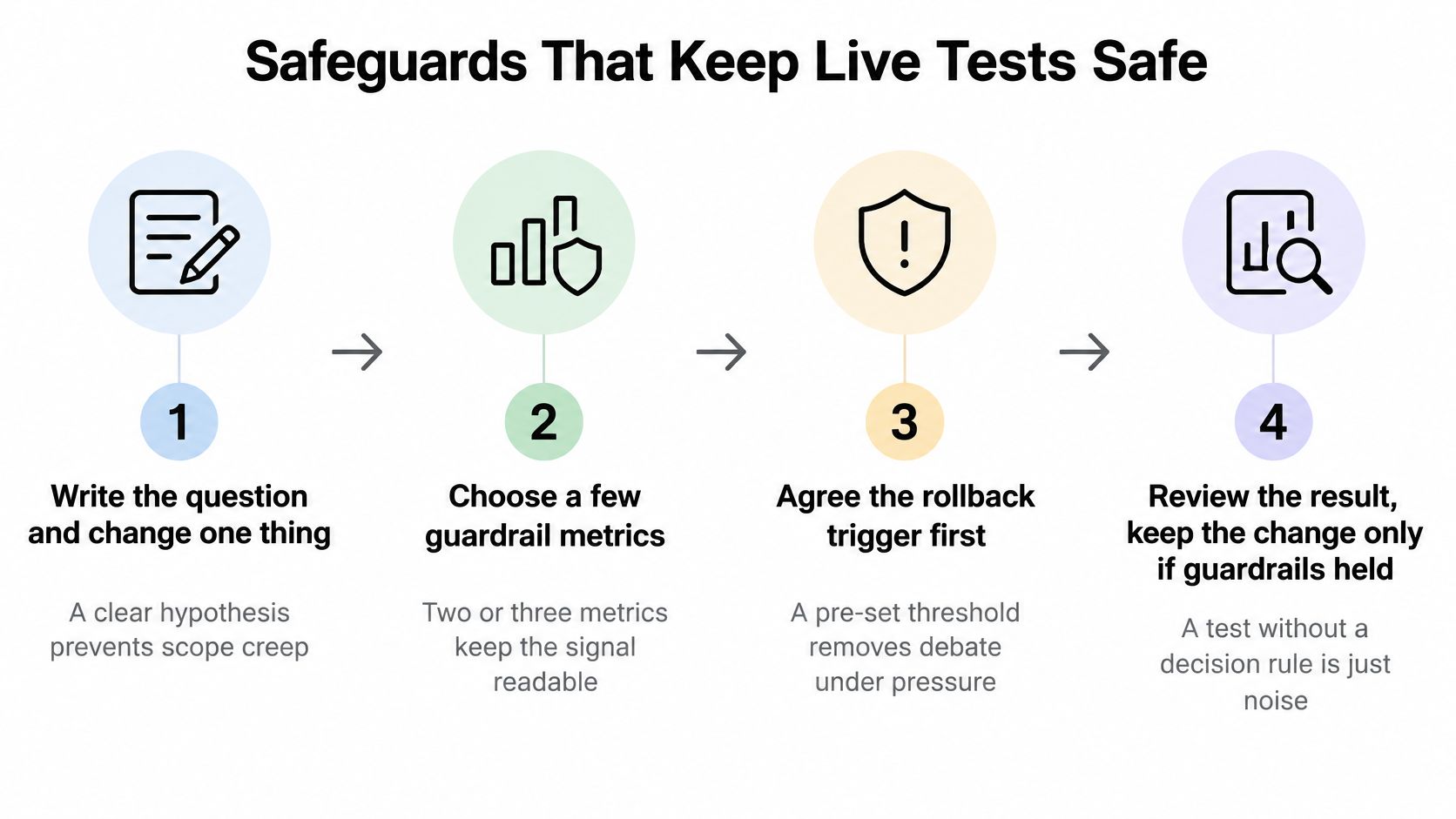
Use this as a pre-exposure checklist, not documentation you complete after launch. Each item needs an answer someone can verify.
The essentials fit into a short routine.
Define the boundaries
-
Write the question and change one thing. For example, ask whether a clearer delivery promise improves completed purchases. Don't change the headline, pricing, and checkout journey together if you need to identify the cause.
-
Choose a readable set of guardrails. Use fast signals such as JavaScript errors, HTTP failures, and page-load latency alongside a slower business outcome such as qualified-lead rate. Include customer protections appropriate to the change, such as accessibility checks, complaint monitoring, and limits on sensitive segmentation.
-
Agree on promotion and rollback rules before exposure. Record what result permits expansion, what triggers an immediate stop, and who owns the decision. For agent-driven changes, Rite NRG's AI agent guardrails guide is a useful companion when thinking through the boundaries an automated system needs.
-
Name the first cohort. Choose an eligible campaign, device group, or visitor category, and document why it represents the question. Keep overlapping experiments from changing the same journey unless you've deliberately designed for their interaction.
-
Keep a concurrent control and verify attribution. Record assignment, exposure, and outcomes separately, counting a visitor as exposed only when the intended variant renders. Check caching, retries, partial loads, and stable assignment so measurement reflects what customers saw.
Require evidence before expansion
-
Set minimum exposure and a bake period. Google's canary-analysis guidance calls for at least 50 time-series data points per metric for relevant statistical analysis; that isn't a conversion-test sample-size guarantee. Plan business-outcome volume using your baseline and minimum detectable effect, and allow delayed purchases or lead qualification to appear.
-
Evaluate important segments independently. Compare each treatment segment with comparable control traffic, checking audience composition, timing, and available capacity. Pause promotion when a technically healthy variant shows a credible business decline, and investigate accessibility or complaint signals without waiting for a conversion verdict.
-
Expand through deliberate checkpoints. Increase exposure only after the agreed observation window and all applicable guardrails hold. Record the evidence, reviewer, and next exposure boundary so an automated recommendation doesn't become an unreviewed permission to expand.
-
Rehearse the fallback. Verify the original experience still renders when the candidate fails, including when dependencies are unavailable. In our process, if a test fails, the customer's original content is served as the fallback.
Before launch: A named person should be able to explain what customers will see, what would count as harm, and exactly how exposure stops.
A healthy result includes stable operational signals, acceptable outcomes in key segments, and a logged decision tied to evidence. Keep only the exposure and decision records you need under your retention policy, with appropriate access controls.
A test can also finish without a winner. That's a valid result, not a reason to relax the rules.
When Live Testing Gives False Confidence
In a 2026 survey cited by LaunchDarkly, 99% of software organizations reported using a delivery guardrail, yet 69% still rolled back or hotfixed production issues at least weekly; only 15% both deployed daily or more and experienced incidents no more than monthly. Guardrails are tools, not guarantees.
Rollback readiness matters, but it isn't proof that the test can detect harm.
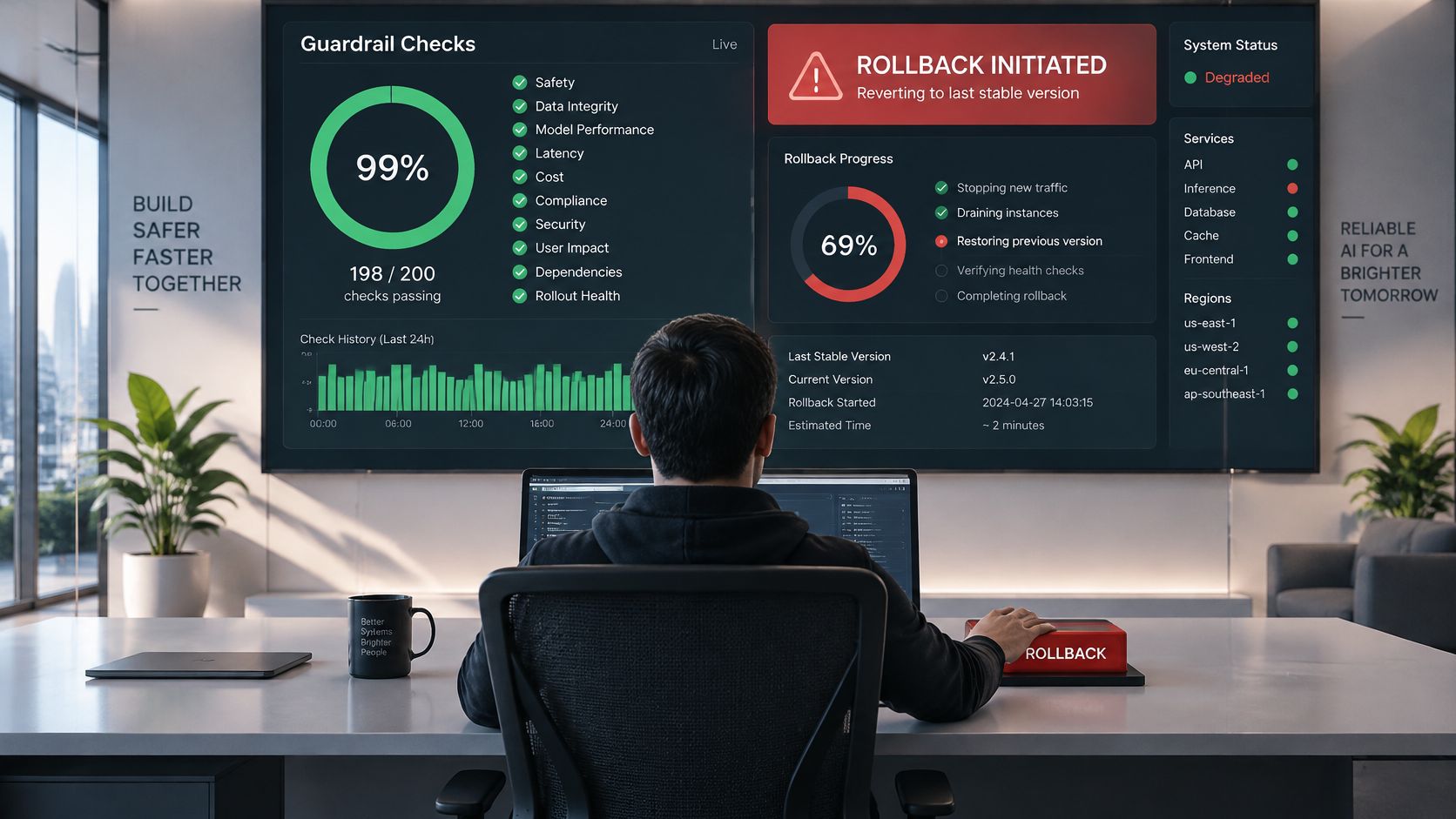
A tiny cohort can miss a meaningful failure. Infrastructure-only monitoring can miss business damage, while aggregate gains can hide losses among returning visitors or a particular country, device, or channel.
Say overall conversion improves, but sales rejects more leads from a paid campaign. Green dashboards don't cancel that warning. Confusing an undetected problem with proven safety is one of the practical risks behind Type I and Type II errors.
Challenge a passing result
- Inspect the slices: Compare each important segment against its concurrent control and predefined harm threshold.
- Check measurement adequacy: Confirm minimum volume before interpreting an apparently flat result.
- Honor the ending: Stop an inconclusive test on its scheduled review date instead of waiting for a favorable chart.
Use the same questions when evaluating a live-testing walkthrough.
Start Your First Safe Live Test
Pick one page, one change, and one question. Choose a cohort your team can describe precisely, and prepare its control before opening exposure.
Confirm that you own the website or have permission to manage it. We only optimize content on websites the customer owns or is authorized to manage.
Write the launch card
Before any visitor receives the change, record:
- Owner: The person who can stop the test.
- Business outcome: The customer action and any downstream quality check.
- Rollback trigger: The condition that requires restoration.
- Minimum evidence: The exposure needed before judging the result.
- Review date: When the team will promote, reject, or close as inconclusive.
If you're considering software for landing-page variants, we write headline, proof, and call-to-action versions for real visitors. Setup takes one snippet in the page head, and the site is live in five minutes; readiness to make an experiment decision still depends on your measurement plan.
This week, verify tracking on every included page, review guardrails daily, and expand only when segment-level evidence supports it. Installation is the starting point, not the safety check.
Polish offers a 3-day free trial of the whole product on your real traffic, followed by one price per month. Visit Polish to try live copy optimization with a named owner, a defined first cohort, and written stopping rules before you begin.
- testing in prod
- production testing
- feature flags
- canary release
- live testing safety
Your website rewrites itself until it converts.
Polish writes new versions of your headlines and CTAs, tests them on your real visitors and keeps the ones that win.
Start free